 This little $35 piece of tech can allow you to turn your TV into a laptop, phone, movie screen... the sky is the limit. It easily plugs into an HDMI port in the back of a tv. The Chromecast can be plugged into a wall outlet to allow CEC remote commands to turn on the television, but more easily it can simply draw power through the USB plug inserted into the tv. Using a smartphone or computer as a remote control, content can be pulled up on the tv screen from a variety of sources (Netflix, YouTube TV, or even just a web browser). The Chromecast Ultra ($70) casts HDR color technology with up to 4K resolution.
When you think of home technology, what brands do you think of? Apple? Google? Samsung? Sony? What about when you think of school tech? Google is probably in the top choices, especially since Google Classrooms are on just about every tech blog out there right now. What Google devices are you familiar with, beyond the phone/tablet/Chromebook basics? My new favorite Google tech toy is the Google Chromecast.
Most televisions in classrooms currently serve no purpose or possibly to show the morning news, but not much more than that due to the use of Promethean or other smart boards. However, when a bulb goes out or a fan stops working, panic sets in. Entire days are ruined because the center of the classroom is thrown off and students can't see anything the teacher was wanting to show. Heaven forbid it happens on an inside recess or Christmas movie day! CHAOS.
The school's internet goes out completely? HELL ON EARTH.
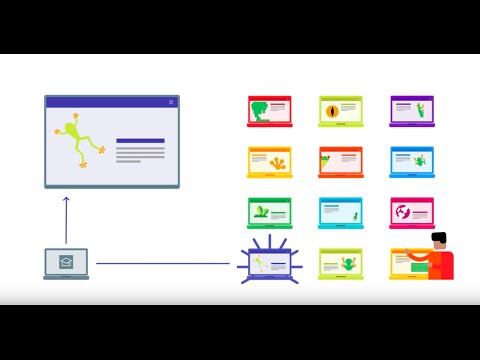
Which a Chromecast, teachers could easily plug the device in and cast Discovery Education, Flocabulary, Tumblebooks, or whatever site they were planning to work with that day. If the school's network is down, teachers can pair up to create a dual hotspot situation to allow for a network for casting and a network for receiving (for the Chromecast to use). Either way, a miracle is found and the school day is saved.
Students can easily cast their projects up on the TV to present any web-based project, whether it's a video playlist or a literature review. The sky is the limit!
For more information:
1. https://www.tomsguide.com/us/what-is-google-chromecast,news-17637.html
2. https://support.google.com/edu/castforedu/?hl=en
3. https://www.techpoweredmath.com/chromecast-for-teachers/
4. https://tedcurran.net/2014/07/25/teachers-use-chromecast-wireless-presentations-desktop-mobile/

I have to say that when I began reading your post I was wondering how this was going to be relevant to education… and then I read “when a bulb goes out”. I literally said out loud, “holy crap that’s genius!” My school really pushed the integration of technology, which was great when it was working. But when the internet was out or like you said, the bulb of the Smartboard burned out… it threw everything into a tizzy. I was told once that it would take a couple of months to get a new bulb for my Smartboard. Thankfully our school’s reading coach never used her Smartboard so she let me take hers. If it weren’t for that it would have been rough in my room. If I had know about this little gem, I easily would have spent the money to have that extra insurance that I would be able to use my technology in some capacity.
ReplyDelete