Monday, December 3, 2018

To the Class of 2018, Wear Sunscreen.


If I were speaking to new graduates about what to prepare for or what to plan on, I would absolutely recommend that future librarians become Google Certified Educators.  With all of the options Google now offers for educators, it's easier than ever to use their tools in the classrooms and many districts are moving to Google sites as their main source for teacher web pages.  As technology leaders in our schools, media specialists should have completed more extensive training than what is expected of the rest of the teaching staff.  The applications for classrooms are endless, from reading surveys using Google forms to collaborative projects using Google slides.  A Google site has integration possibilities beyond just Google tools, which is something not all sites offer.  Social media integration and digital curation projects can all be tied in and shared easily, making a library's web page a one-stop shop for all thing library.  

There are different levels of GCE training, but Level 1 certification is the place to start and, in my opinion, a must for all media leaders.  The best part, for SC educators, is that it is FREE and it counts as technology hours towards re-certification and technology proficiency. 

Most new graduates are well-versed enough in social media platforms to be able to create a powerful online presence in the local community, which serves to raise awareness and funding.  A site that shows off the powerful activities happening inside the library, from a green-screen news production to a reading buddies program, and can encourage a spirit of partnership inside the building and out... that reaches farther than most tools can.  Then you add in the fact that you'd be a leader in your educational community and could teach others how to use Google's tools- the reach is limitless.

Thursday, October 11, 2018

Tumble into Books

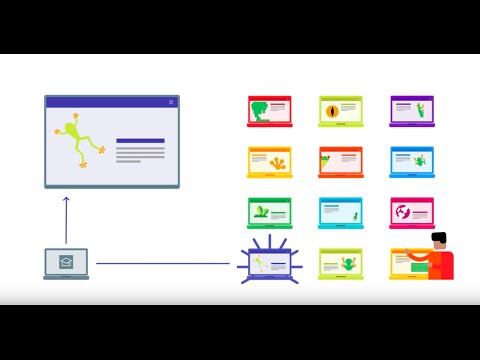
Tumblebooks is one of my top favorite resources for libraries, classrooms, and homes alike.  I have created a tutorial and overview video (albeit a rambly one) to hopefully showcase a little bit on why this site is the best thing since eraser caps. 


Saturday, October 6, 2018

Here's Your Sign


Can you tell which child is deaf?  Differently-able children aren't defined by their ability to hear or walk or speak.  They're defined by their hearts, their love of life, their smiles.  (And for the record- both children pictured are unable to hear without assistance from a device.)

Sign language has always been something I was interested in but I could never find a good program to learn from myself.  I know enough to get a basic thought across, but that's about it.  I introduced my first son to sign language when he was three months old.  We found a free video of baby signs that we showed him  - it was the only screen time he was allowed to have for a long time.  I'd heard it would help with language development so we gave it a shot.  It worked! He communicated early with signs and then verbally.  We did the same thing with our second son.  He did not communicate early, but that's mostly because there was no air left in the room with big brother talking all the time.  He DID, however, learn more signs more quickly than our first son had.  I knew we needed greater resources.  I found Rachel and the Treeschoolers (of Signing Time) on YouTube and we are all now obsessed.  The videos teach content material (ie: astronomy, weather, etc) as well as the signs to go with those topics.  The songs that teach the information are catchy and easy to remember.  We watch them a few times a week and my sons are constantly learning new signs.  Hopefully, my sons will one day be able to help non-hearing students / friends to communicate and learn new information. 

With ASL being a passion for my whole family, the video of the whole community that learned sign language really hit home with me.  The deaf community is not serviced nearly enough, especially in a public school setting.  When I started thinking about what tools I'd encourage schools to use, I first thought of the website Tumblebooks.  It shows animations with a book as well as highlighting the worlds being read.  It could allow hearing impaired students to feel like they have access to reading material that is a little different from a typical book.  As much as I like Tumblebooks, though, I didn't feel it was enough for what I was looking for.


Then, I found VRI devices. In Demand's Video Remote Interpreting devices currently offer over twenty-five VRI languages and more than two hundred voice languages.  With ASL being the third most used language in the US, schools cannot afford to continue to be without tools that include students with hearing difficulties.  The VRI devices offer one-touch connectivity to interpreters.  The specifications for the devices show that they are second to none. The devices can be mobile or attached to rolling carts.  Currently, these are being marketed in the healthcare system, but there's no reason these couldn't become essential school materials.  With sign interpreters at the ready, mainstream classrooms and libraries could become fully accessible to non-hearing or hearing impaired students.  The mobile units could allow students to take their interpreters "with" them wherever they needed to go during the day.   

VRI could be the key to "normalizing" students with hearing impairments, to encouraging more people will learn to sign, to making classrooms more accessible to everyone regardless of their different abilities. 


Sunday, September 30, 2018

Casting with Google


Image result for google chromecast for teachersThis little $35 piece of tech can allow you to turn your TV into a laptop, phone, movie screen... the sky is the limit.  It easily plugs into an HDMI port in the back of a tv.  The Chromecast can be plugged into a wall outlet to allow CEC remote commands to turn on the television, but more easily it can simply draw power through the USB plug inserted into the tv.  Using a smartphone or computer as a remote control, content can be pulled up on the tv screen from a variety of sources (Netflix, YouTube TV, or even just a web browser).  The Chromecast Ultra ($70) casts HDR color technology with up to 4K resolution.  


When you think of home technology, what brands do you think of?  Apple? Google? Samsung? Sony?  What about when you think of school tech?  Google is probably in the top choices, especially since Google Classrooms are on just about every tech blog out there right now.  What Google devices are you familiar with, beyond the phone/tablet/Chromebook basics?  My new favorite Google tech toy is the Google Chromecast.  


Most televisions in classrooms currently serve no purpose or possibly to show the morning news, but not much more than that due to the use of Promethean or other smart boards.  However, when a bulb goes out or a fan stops working, panic sets in.  Entire days are ruined because the center of the classroom is thrown off and students can't see anything the teacher was wanting to show.  Heaven forbid it happens on an inside recess or Christmas movie day!  CHAOS.

The school's internet goes out completely?  HELL ON EARTH.

Image result for google chromecast for teachers

Which a Chromecast, teachers could easily plug the device in and cast Discovery Education, Flocabulary, Tumblebooks, or whatever site they were planning to work with that day.  If the school's network is down, teachers can pair up to create a dual hotspot situation to allow for a network for casting and a network for receiving (for the Chromecast to use).  Either way, a miracle is found and the school day is saved.

Students can easily cast their projects up on the TV to present any web-based project, whether it's a video playlist or a literature review.  The sky is the limit! 

For more information:
1. https://www.tomsguide.com/us/what-is-google-chromecast,news-17637.html
2. https://support.google.com/edu/castforedu/?hl=en
3. https://www.techpoweredmath.com/chromecast-for-teachers/
4. https://tedcurran.net/2014/07/25/teachers-use-chromecast-wireless-presentations-desktop-mobile/

Sunday, September 23, 2018

Take Time to Shake It Up


I'd like for you, dear reader, to visit Shake Up Learning. I read through about fifteen different tech-based educator blogs until I found this one.  Kasey Bell's approach to education is one I can identify- shake it up and make it better!  I am all about keeping things new and interesting, so Bell's site fit my interests to a T!  It also doesn't hurt that Bell has just about every Google certification they hand out to educators. 

This specific post that I linked you to on creating "apps" with Google slides covers something I'd never attempted before reading this post.  This particular posting is from a guest author- Micah Shippee.  As soon as I read through all the steps, I began thinking of the different collaborative projects that could come as a direct result of being able to teach students how to do this during library time!  With Google Classroom becoming such a staple in many of today's schools, being able to add one more "tool to the tool belt" for student AND faculty use is critical.  Specifically, sharing with teachers how to do this with students in their own classrooms could allow integration far beyond what most classrooms are accomplishing now while allowing students to feel like they're doing something different from the typical slideshow or file sharing.  Finally, an extremely important piece to picking THIS post as a tool to share with teachers is brought to us by the number TEN.  It is all done in only ten steps.  That's it!  That means that it's broken down into the basics, which is perfect for elementary patrons and less-than-tech-savvy-teachers alike.  Icing on the cake- it just sounds cool to say you're creating your own app.

Once you have finished learning how to do this yourself, I highly recommend you peruse through more of Kasey Bell's posts (and those of her guests). She has a world of knowledge to share and truly wants to help create integrated classrooms.  I will continue to follow her and I hope you will as well.  

Thursday, September 6, 2018

Fake News- is it fake news?


Fake news is a topic of much discussion and debate.  Is there such thing as fake news?  Is everything fake?  


This infographic (coupled with this article) gave some great insight as to how youth feel about the news in general. 
 In particular, this picture shows the information that stood out the most to me.  A third of students reading stories admitted that what they'd shared was wrong or inaccurate.  The same stats were shared in this article by CNN.  The Wall Street Journal shared information on a Stanford study with similar findings. 

Living in a digital age requires that we arm students with what they need in order to be responsible digital citizens.  We must teach and model how to find accurate sources so that they know what to do to avoid the "fake news" circus.  It's also our responsibility to teach the difference between that and bias. 

It reminds me of the old rumors that were spread, like that if you ate pop rocks and drank sprite it could kill you because it could make your stomach explode.  I won't lie- I definitely didn't enjoy that combo again until I was old enough to realize that it was "fake news" essentially.  What peers share carries a lot of weight among youth, making it all the more important that we teach them how to spot what's real and what's not, or at the very least how to find out. 

Personally, I only get my news online. I try to read a lot of different sources and weigh them against one another.  I really don't trust what I watch on tv anymore because so much of it feels skewed when weighed against the majority of the information found with a little research.  I don't know that this will change all that much when I become a librarian, other than that I'll probably tune in to "popular" news more so I know what patrons are hearing and possibly believing. 

Ultimately, I believe there is a lot of fake news out there, but I don't think that's a new problem. It's like racism and bullying... they've been around forever, but all the different media outlets spread it all and stir the pot so much.  You used to have a newspaper and a news hour and that was it.  Anything else that happened had to wait til the next day for everyone to hear about it unless it was a major world announcement.  Since the media won't always act responsibly, we have to make sure our students know how to read and share responsibly. 


Thursday, August 30, 2018

65 Years and a Million Standards

"First, as we instruct students in the concepts of digital citizenship, we must continue to teach them that they have the right to privacy in this digital world, give them the skills to protect their own privacy, and help them to understand the importance of safeguarding their privacy." (p. 41) 

I found this quote to be the most engaging out of the entire article.  In the last school I taught at, students were not taught any sort of rules on digital citizenship.  They were barely taught anything other than a few basic programs (which were pet projects of the administration and/or district).  I found it incredibly irresponsible and downright dangerous to allow students such freedoms and access without any sort of direction or instruction.  Being a digital citizen is so much more than having a digital footprint.

Looking through the standards (NJCCCS, AASL, ISTE NETS), I feel that the AASL standards are most likely what I will use most based on what my district expects.  I was surprised at the detail found in the NJCCCS and will probably refer to them and the ISTE standards as supplementary.  Being able to have a well-rounded but not exclusive idea on standards is the approach I plan to have in my library-- use what I'm supposed to but enhance where I see things are lacking.  (The comparison of page 6's standards was particularly interesting to me as far as finding ISTE a good supplementary source.)

I suppose that part of teaching digital citizenship will be my transparency with my staff and students, showing them not just what to do but how I found the information that led to my decision on what to share and teach.  Showing them now to create, to question, to protect themselves and others, and yes- how to find the most amazing adventures within a text.


65 Years and Counting.  Adams, H. R. (2016). 65 years and counting AASL and school librarians — Still champions of intellectual freedom. Knowledge Quest, 45(1), 34-41.

http://belsnj.org/docsdl/NJStandardsComparison6-8.pdf